
















Quiz Night
Quiz Night
Quiz Night - Trivia, Pictures and Sounds With Friends
3.0
Penilaian
0
0
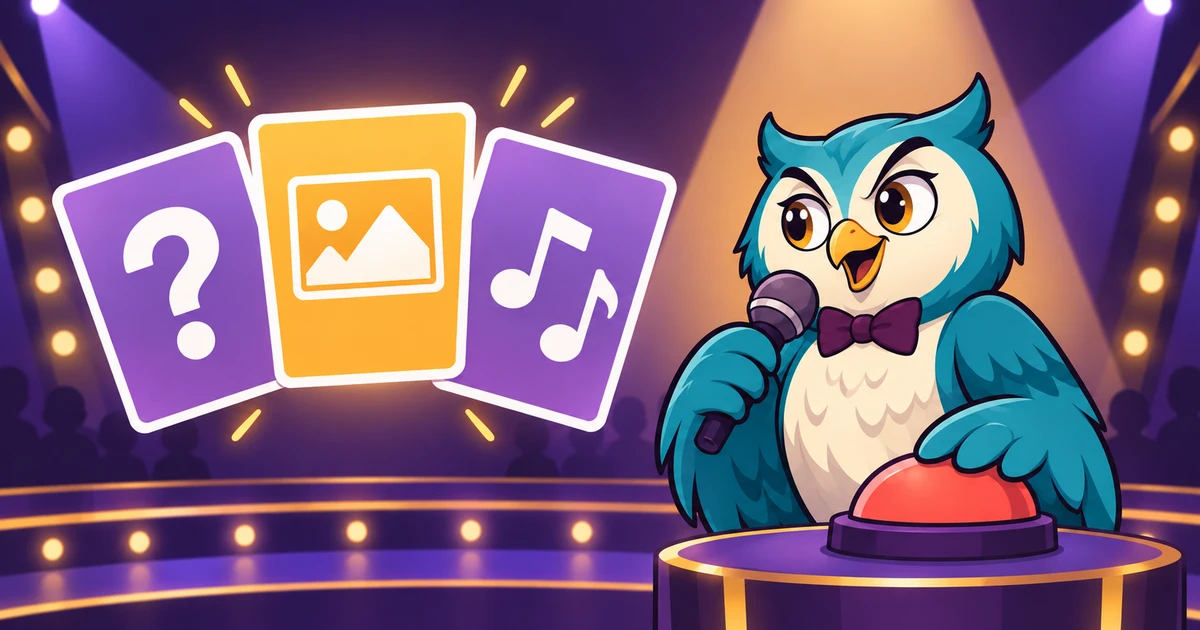
A quiz game for your next night with friends
Quiz Night is an online quiz game with shared answer reveals, picture and sound rounds, and quizzes made by the community. Open a room, send your friends the link and find out who knows a little about everything. You can also take the same quizzes on your own, with time to read each explanation and try the questions you find hard.
A good question gives everyone a chance to join in. One round might send you around the world. The next could ask you to name an animal from a sound or count the dots in a picture. Pick an official pack when you want to start quickly, or choose something personal from the Workshop. The correct answer stays hidden until the shared reveal.
Multiplayer trivia with friends
Choose your quiz before the game starts. You can combine several Workshop packs into one session, so each friend can bring a topic. Keep the creator’s order for a planned set of rounds, or shuffle the questions for a surprise. The room supports up to 64 players, though a smaller group gives you more time to talk about the answers.
Share the room link with your friends. Each player answers on their own screen, using a choice button or a text field. In Hidden choices, tap an answer and you have one second to correct it before it locks. Other players see when you finish, but your selection stays private until the reveal. In Live choices, everyone can see each selection and change their own until the timer ends. Correctness and scores appear together at the reveal.
In Bluffing, make up a believable wrong answer, then find the truth among other players’ lies and up to three answers from the quiz. You cannot vote for your own lie. Finding the truth earns 1,000 points, and each friend fooled by your lie adds 500. If two people write the same lie, they share its points. The authors stay hidden until the reveal. Answers that match the truth or use a close spelling are blocked during writing.
The host can pause a question for a break. When someone joins during a question, they can follow the reveal and take part from the next question. A lost connection does not clear a saved answer. Once you reconnect, you can see what you locked in and carry on with the room.
Choose the pace of your quiz night
The normal rules give every correct answer 1,000 points. Use these when you want knowledge to matter more than quick fingers. For a livelier round, turn on the speed bonus. A correct answer can then earn up to 200 extra points, based on how much of the question’s time remains when you answer.
The creator sets a time for each question, from 5 to 180 seconds. The clock is on with friends and off when you play alone by default. The host can turn it on or off in Hidden choices. Live choices always uses a clock. Bluffing has separate clocks with at least 30 seconds to write and 20 seconds to vote. Untimed practice removes the clock. You can also let the host advance after each reveal, which leaves space for a discussion or a longer explanation. Without host pacing, the next question follows after a short shared reveal.
If a creator supplies gradual clues, the host can turn those on for timed play. The clues appear during the question. A quickfire session works well for familiar topics. For your first time with a difficult pack, try the normal scoring rules and a slower pace.
How to play
Read the question and check whether it includes a picture or sound. You can open a picture to see it larger. For a sound question, press the play button and set the clip volume to a comfortable level. The background music becomes quieter while the clip plays.
Tap one answer for a multiple-choice question. In Hidden choices, a short bar shows the one-second correction window. For a fill-in-the-blank question, type your answer and press Enter. In Live choices, your typed answer saves as you write, and you can keep editing until the deadline. Leading and trailing spaces do not matter. The creator can add other accepted names and spellings, and choose whether accents, punctuation or capital letters must match.
After the answer window closes, you see the correct answer, your points and the explanation. When the creator includes a fact source or media credit, you can read that too. Use the shared reveal to talk through a surprising answer before the next question.
Get more out of every round
- Read the whole prompt before selecting. “Smallest planet” and “closest planet to the Sun” ask different things, even when they happen to have the same answer.
- Use the large picture view when a detail matters. A small shape or mark can be much easier to see there.
- Play a sound again if you need to. Listen for the action as well as the source, such as knocking, cutting or pouring.
- Check explanations after an incorrect answer. They can help you spot the difference between two choices that both seemed possible.
- Start a new topic with equal scoring. Add a speed bonus when the group knows the material and wants a faster contest.
For a daily challenge, open solo practice and choose Today’s ten. Everyone gets the same set for that UTC date. You can replay it, but the first attempt gives you the clearest idea of what you already knew.
Create quizzes in the Workshop
The Quiz Night Workshop is where you can make a pack for friends or publish one for the community. Add questions one at a time or import a CSV. Give rounds names, add answer explanations, and use accepted spellings to avoid marking a correct typed answer as wrong.
You can add your own pictures and short sound clips when you have permission to share them. Crop a picture to a square or keep its full shape. Choose the start and end of an audio clip before uploading it. Add a useful media description and credit so people know what they are looking at and who made it.
Use the preview before saving. Try a wrong answer as well as the right one. Check that the explanation makes sense and that a typed question accepts the spellings you expect. The editor keeps a draft on your device and provides undo, duplicate and reorder controls. Save the quiz to your account before switching devices.
A private quiz is useful for a family round or an event. Public quizzes appear in the Workshop, where players can rate and report them. Creators can allow credited remixes so other people can build their own version. A game already in progress keeps the revision it started with, so editing a pack does not change a question halfway through a match.
Solo practice and learning
In solo practice, choose one or more quizzes and decide how you want to answer. Keep multiple choice for recognition, or remove the choices and recall the answer from memory. There is time to think, reveal the answer and read why it is correct.
Supporter adds smart review and saved collections. Smart review uses your earlier reviews to choose questions that are due. After seeing the answer, rate how well you recalled it. Use Forgot if you guessed or needed a hint. Hard means you recalled it on your own but had to work for it. Your progress is saved to your account and remains there if Supporter ends.
Scores and achievements
You can find your results on the Quiz Night leaderboards. Finish a game with at least one submitted answer to earn your first quiz achievement. For Perfect Ten, answer every question correctly in a game with at least ten questions. Check your progress on the Quiz Night achievements page.
Quiz Night uses your account cursor and Foony’s normal account rewards. Solo study is for practice and recall. It does not award competitive game points for repeatedly reviewing a card.